Update · 29 Sept 2026 · 3 min read
The BODYVERSE 3D atlas is now live on the website
Explore the same anatomical body as the app, right in your browser: six layers, X-ray skin, a cursor scanner and labels for every named structure.
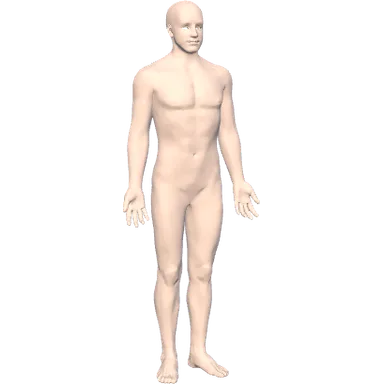
The body at the top of our home page is no longer a picture. From today, the BODYVERSE 3D atlas runs live in your browser: the same anatomical model we are building the mobile app around, with the same structure names and texts. There is nothing to install and no account to create.
What you can do
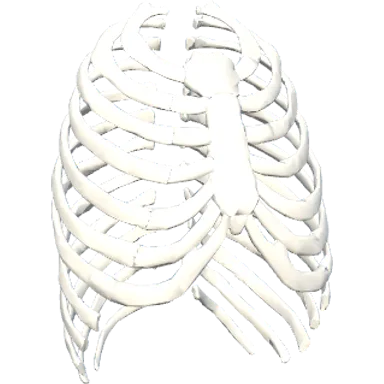
- Peel back the layers. Six toggles show or hide the skin, muscles, skeleton, internal organs, vessels and nerves.
- Look through the skin. "X-ray skin" turns the skin into a translucent hologram, so you can see inside while keeping the body's outline. Switch to "Real skin" at any time.
- Scan with the cursor. On a computer, switch to real skin and move the mouse over the body: a round scanner cuts away the skin to reveal what is underneath.
- Name anything. Point at or tap a structure to see its name. All 1,664 named structures have labels, down to details such as the right seventh costal cartilage.
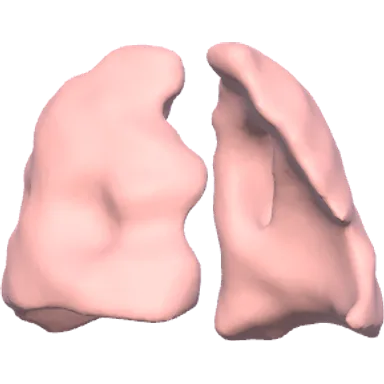
- See it move. The heart beats and the lungs breathe. Stylised pulses show blood flowing away from the heart and back to it, and signals travelling along the nerves.
- Take the tour. "Watch demo" starts a short guided tour through the layers, the heart, the lungs and the nerves. Drag the body or press "Stop" at any time to take over.
- Read as you go. Below the viewer, the mini atlas has texts for 11 body systems, from the nervous system to the skin. "Show in 3D" takes you from a text straight to the organ in the model.
Light by design
A 3D model should not get in the way of the page, so we kept the atlas light:
- One file, 1.33 MB. The whole body, about 255,000 triangles across 52 organ objects, is a single glTF file with meshopt compression.
- The page comes first. Text and a still image of the body appear straight away. The 3D engine and the model load afterwards, and the live body fades in when it is ready.
- Names on demand. The list of structure names loads only when you first point at or tap the body.
- Paused when out of sight. Rendering stops when the viewer scrolls off screen or the tab is in the background.
- Easier on phones. Touch devices render at a lower pixel ratio to keep the motion smooth and save battery.
- Sensible fallbacks. Browsers without WebGL 2 get a still image instead. If your browser reports data saver or a very slow connection, the model waits until you choose to load it. If your system is set to reduce motion, the heartbeat, breathing and idle sway stay still.
One body, two places
The atlas is not a separate web model. A build script converts it directly from the Unity project of the mobile app: the same meshes, organ ids and structure names, and the same organ and system texts. A fix to the anatomy or to a text in the app project reaches the website with the next build. For the full story, read How we built the body.
The anatomy is based on BodyParts3D by The Database Center for Life Science (DBCLS), licensed under CC BY 4.0. Like the app, the atlas is for learning and exploring. It is not a medical tool; see our medical disclaimer.
What's next
- The mobile app is in development for iOS 15+ and Android 10+. There, the atlas will become Explorer mode, with isolate, slice and exploded view, alongside Missions, Body Lab, Daily Challenge and Anatomy Battle.
- Season one, "Breath", is planned for the app launch. Read the announcement.
- One model for both. The website and the app will stay on the same model, so improvements to the anatomy and texts reach both.